









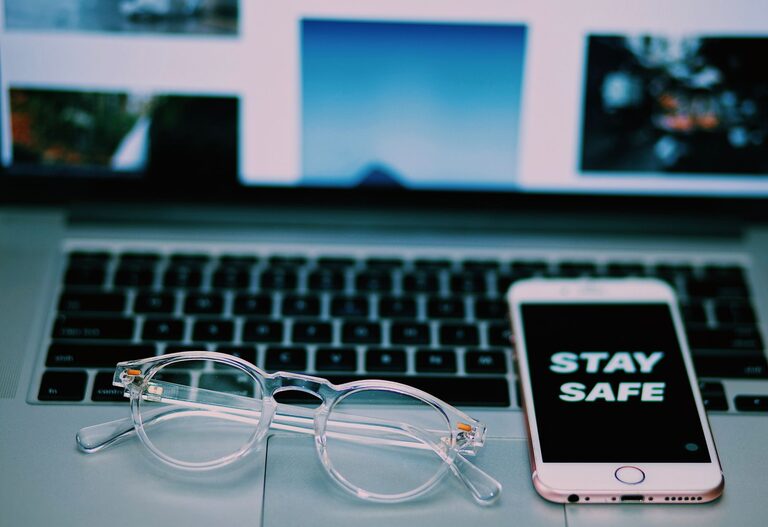
Keeping your phone and keyboard clean is essential not only for hygiene but also for maintaining the longevity and performance of your devices. Everyday use exposes these gadgets to dust, oils, and germs that can accumulate over time. However, cleaning them incorrectly can cause damage. This guide provides simple, safe steps to clean your phone and keyboard effectively without risking harm.
Why Cleaning Your Devices Matters
Phones and keyboards are among the most frequently touched objects in our daily lives. They collect dirt, sweat, food particles, and bacteria. Regular cleaning helps:
– Reduce germs and allergens
– Maintain device responsiveness and appearance
– Prevent buildup that could affect functionality
Knowing how to clean properly is key to avoiding scratches, moisture damage, or other issues.
General Safety Tips Before You Start
Before you begin cleaning, keep these safety tips in mind:
– Turn off and unplug devices. For phones, power off completely. For keyboards, disconnect them from the computer or turn wireless keyboards off.
– Avoid harsh chemicals. Use gentle or recommended cleaners only.
– Never spray liquids directly onto devices. Apply liquids to cloths to prevent moisture seeping in.
– Use soft, lint-free cloths. Microfiber cloths are ideal.
– Be gentle. Avoid pressing too hard or using abrasive materials.
How to Clean Your Phone Safely
What You’ll Need
– Microfiber cloth
– Isopropyl alcohol (70% concentration or less) or disinfecting wipes safe for electronics
– Cotton swabs
– Distilled water (optional)
– Small soft brush (optional for ports)
Step-by-Step Guide
- **Power off and unplug your phone.** Remove any case or accessories.
- **Wipe the screen gently.** Use a dry microfiber cloth to remove fingerprints and dust.
- **Prepare a cleaning solution.** Mix equal parts distilled water and isopropyl alcohol if not using wipes.
- **Dampen the cloth slightly.** Avoid soaking it; barely damp is enough.
- **Wipe the phone’s surfaces.** Gently clean the screen, back, and edges with the damp cloth.
- **Use cotton swabs for crevices.** Lightly dampen a swab to clean around buttons, camera lenses, and ports.
- **Dry thoroughly.** Use a dry microfiber cloth to remove any moisture.
- **Let the phone air dry.** Wait a few minutes before turning it back on or replacing the case.
Tips for Special Cases
– Glass backs: Use the same method but be extra gentle.
– Water-resistant phones: Still avoid spraying liquids directly and don’t immerse in water.
– Screen protectors: Clean carefully to avoid peeling or damage.
How to Clean Your Keyboard Safely
What You’ll Need
– Microfiber cloth or lint-free cloth
– Isopropyl alcohol (70% or less)
– Cotton swabs or soft brush
– Compressed air canister (optional)
– Toothpick (optional for tight spaces)
Step-by-Step Guide
- **Turn off and unplug your keyboard.** Wireless keyboards should be powered off.
- **Remove loose debris.** Turn the keyboard upside down and gently shake it or use compressed air to blow out dust and crumbs.
- **Clean key surfaces.** Lightly dampen a microfiber cloth with isopropyl alcohol or use disinfecting wipes. Wipe each key carefully.
- **Detail clean between keys.** Use cotton swabs or a soft brush dipped slightly in alcohol to clean between keys.
- **Remove stubborn dirt.** Use a toothpick gently to dislodge particles in crevices.
- **Dry the keyboard.** Wipe with a dry cloth and allow it to air dry completely before plugging back in.
Additional Tips
– Avoid excessive liquid. Moisture can damage electronics.
– Regular cleaning prevents buildup. Aim for once a week or more if heavy use.
– For mechanical keyboards: Consider keycap removal for deep cleaning, but refer to manufacturer instructions to avoid damage.
Maintaining Cleanliness Over Time
To keep your devices cleaner longer:
– Wash your hands before using electronics.
– Avoid eating and drinking near your phone or keyboard.
– Use covers or cases that can be removed and cleaned.
– Regularly wipe down surfaces with appropriate materials.
Final Thoughts
Cleaning your phone and keyboard safely doesn’t have to be complicated. Use the right materials, be gentle, and follow the steps outlined here to keep your gadgets looking and functioning their best. By incorporating regular cleaning into your routine, you improve hygiene and device longevity without risking damage.
Remember, prevention is as important as cleaning. Treat your devices with care, and they’ll continue to serve you well!